Noise Removal – is the way by which we can remove background noise from our recordings.
Steps to remove Noise
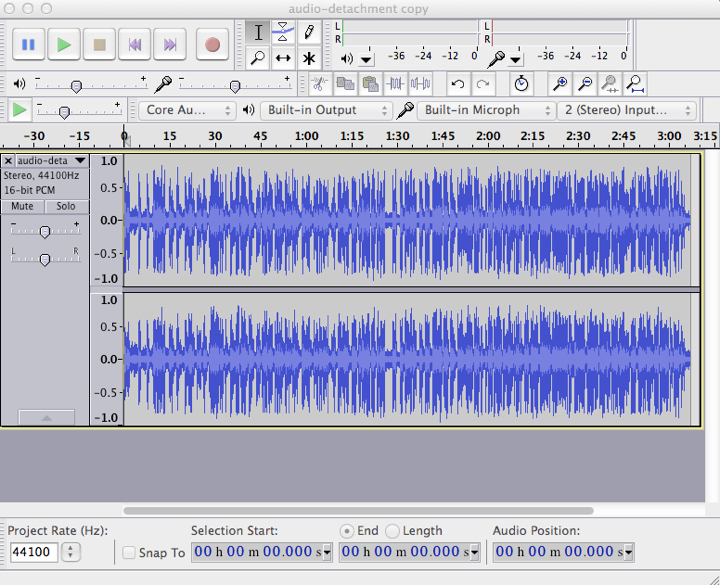
The screenshot shows the entire clip of 3 min duration.
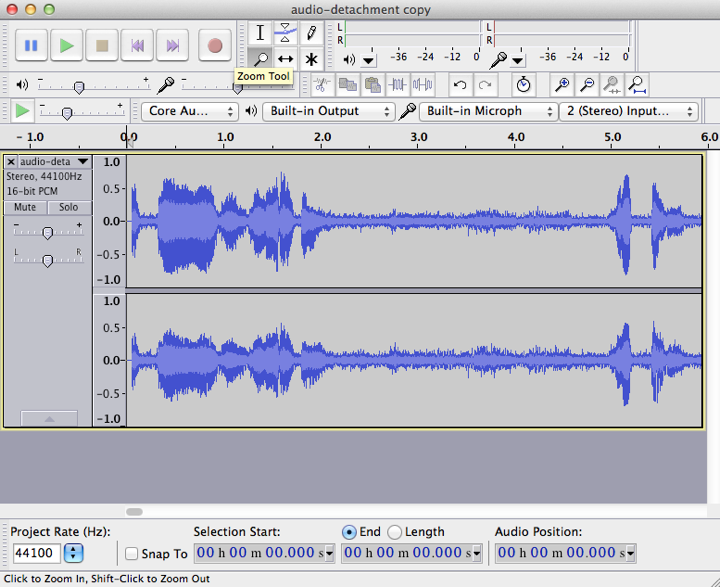
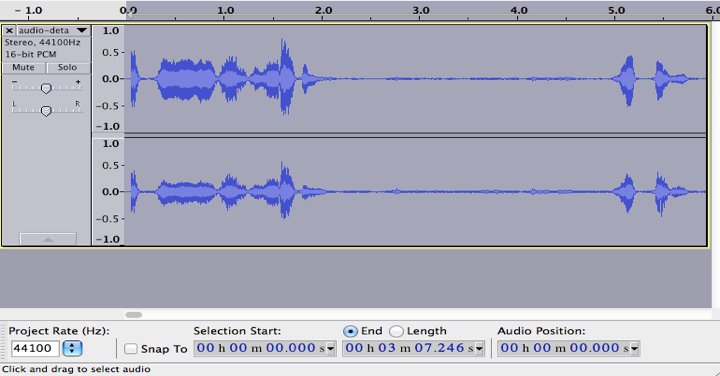
2. Identify what part of your sound file is noise. For this “ZOOM IN” to your selection. Screenshot shows the Zoom Tool.
Click on the tool. Click on the audio file, the audio from 0 sec to 6 sec is zoomed in.
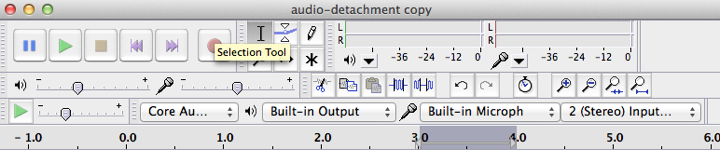
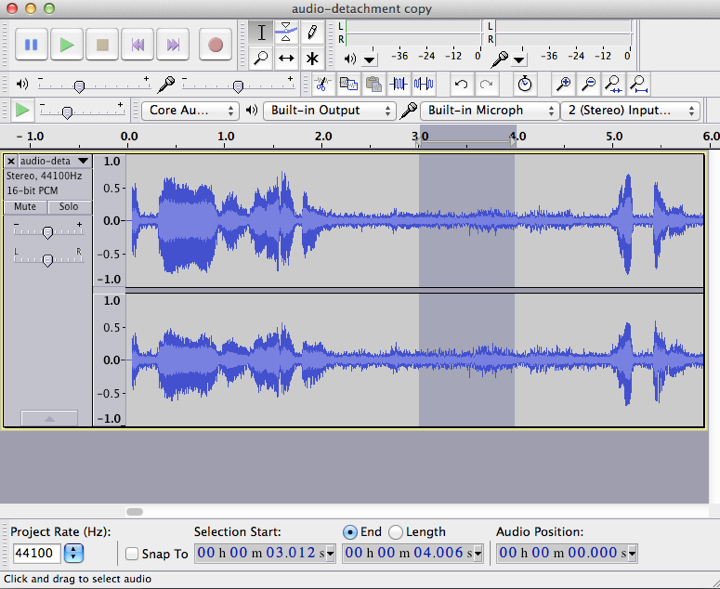
3. To get Noise sample/Noise Profile – the clip from 3 sec to 4 sec is the white noise. Click on Selection Tool highlighted in screenshot.
Place your mouse at the start of your noise sample (i.e at 3 sec), then click and drag across the part of your file that has the noise in it (till 4 sec).
It should be a part of the file that is only noise.
4. Next, from the menu, choose Effect - Noise Removal.
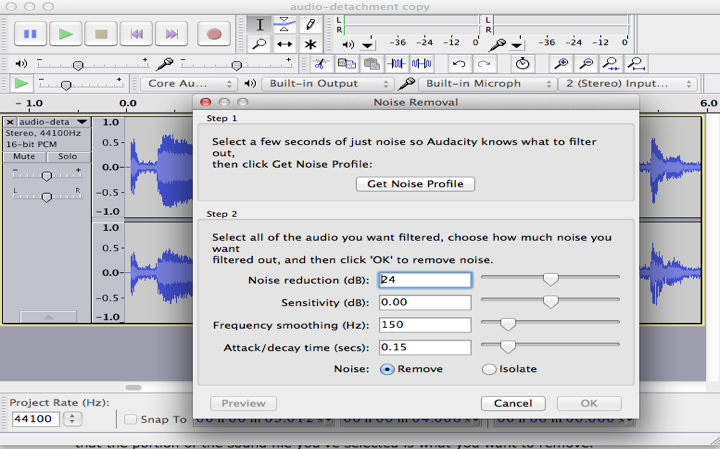
On the Noise Removal window that comes up, click Get Noise Profile to tell Audacity that the portion of the sound file you've selected is what you want to remove.
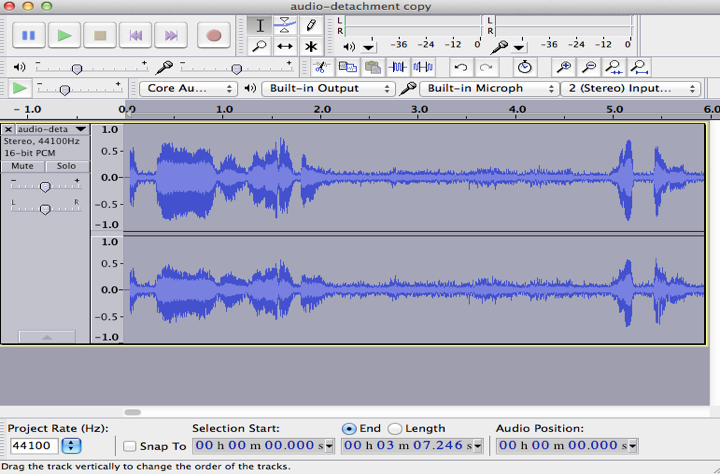
5. After you've set your noise profile, select the entire sound file by clicking on left panel
6. Then, choose Effect - Noise Removal... from the top menu again. You can adjust the amount of noise you want to remove by sliding the bar to the left or right.
Click on OK button at the bottom of the Noise Removal window.
Note: Click the Preview button to hear what your new file will sound like without the noise in it.
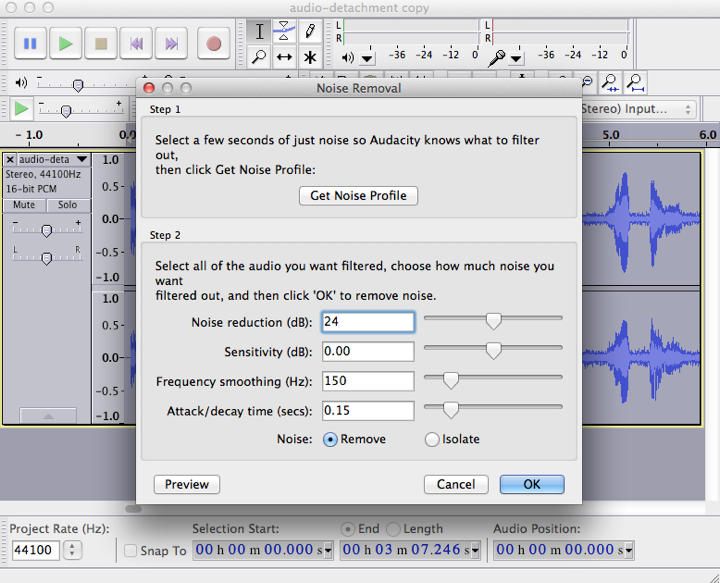
7. Setting the parameters
8. Remove the noise
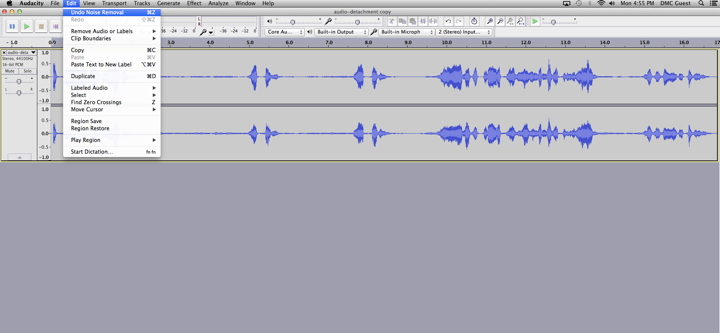
The noise will be removed from your file, and this is how it will look. Notice the difference in peaks of static noise.
9. If you don't like how it sounds, you can choose Edit - Undo Noise Removal to undo your changes.