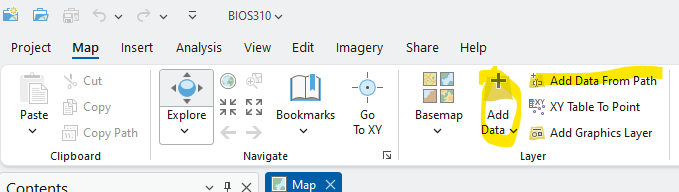
Using basic spatial analysis covered in Introduction to ArcGIS Pro to analyze the Rice University tree data.
Add data from path function:
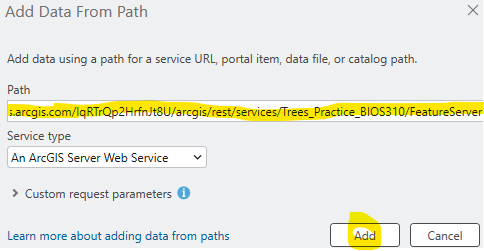
Add the following layers to your Project:
Practice Tree Layer: https://services.arcgis.com/lqRTrQp2HrfnJt8U/arcgis/rest/services/Trees_Practice_BIOS310/FeatureServer
Georeferenced Aerial images:
1976: https://tiles.arcgis.com/tiles/lqRTrQp2HrfnJt8U/arcgis/rest/services/1976_26978050/MapServer/0
1947: https://tiles.arcgis.com/tiles/lqRTrQp2HrfnJt8U/arcgis/rest/services/1947_18846940/MapServer
Tree Construction Tolerance Data: https://services.arcgis.com/lqRTrQp2HrfnJt8U/arcgis/rest/services/TreeSpeciesTolerance/FeatureServer
Wastewater Mains: https://services.arcgis.com/lqRTrQp2HrfnJt8U/arcgis/rest/services/Wastewater_Gravity_Main_Rice_University/FeatureServer
(If Time), Export Features of Tree Practice Layer and Set Symbology
Add Join function: Join Tree Construction Tolenance Data to Tree Practice Layer
Tree Use Spatial/ByAttribute Select (Example export one type of tree? Ask Students)
Watermain select
Pairwise Buffer + Pairwise Intersect
Generate Near Table
Generate Origin-Destination Links
Related articles appear here based on the labels you select. Click to edit the macro and add or change labels.
|