Background
When ebooks are automatically purchased through our DDA program, we receive an email alert from ProQuest Ebook Central. Autopurchased ebooks are already made available to users so processing them is not urgent (because users are not waiting for access). However, some additional processing is needed for recordkeeping purposes.
Autopurchase Alerts
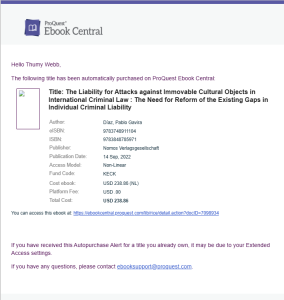
Autopurchase alerts are emails sent by ProQuest (from noreply@proquest.com) with bibliographic and acquisition information about the ebook. To be added or removed from the recipients list for the alerts, email eresources@rice.edu. Here is an example of an email. (Click on the image to see a larger version).
Processing Instructions
- Update the bibliographic record in Alma if better copy is available in OCLC.
- Search OCLC for a better record. If there is one, overlay the Alma record with the better record.
- If there is no better record in OCLC, improve upon the existing Alma record if the formatting is wrong or if fields are missing.
- Edit the electronic portfolio to set these fields to these values:
- General tab
- Electronic material type = Book
- Library = FONDREN LIBRARY
- Access type = Perpetual
- Acquisition tab
- Public access model = access model from autopurchase alert
- Notes tab
- In the General Notes sections, add a note with the autopurchased date (which is the date of the autopurchase alert) and the access model. For example, "Autopurchased 6/15/2024; NL access model."
- Save your edits by clicking Save.
- Autopurchased ebooks do not appear on the Alma Task list (the "clipboard") so once the portfolio has been edited, you are done.