 Mute microphone unless you plan to speak
Mute microphone unless you plan to speak Questions and comments can be made by using the Chat tool
 Digitally raise your hand to be acknowledged by moderator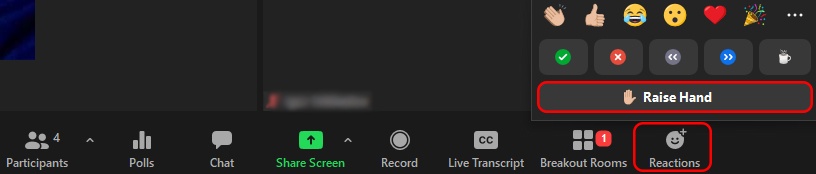
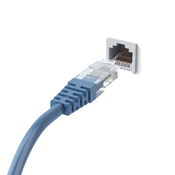 Wired connection preferred over Wi-Fi
| Zoom Topic | Link |
|---|---|
| Testing your video | https://support.zoom.us/hc/en-us/articles/201362313-How-Do-I-Test-My-Video- |
| Testing your audio | https://support.zoom.us/hc/en-us/articles/201362283-How-Do-I-Join-or-Test-My-Computer-Audio- |
| Meeting controls | https://support.zoom.us/hc/en-us/articles/201362603-What-Are-the-Host-Controls- |
| Managing participants in a meeting | https://support.zoom.us/hc/en-us/articles/115005759423-Managing-participants-in-a-meeting |
| Mute and unmute all participants | https://support.zoom.us/hc/en-us/articles/203435537-Mute-All-And-Unmute-All |
| In meeting chat | https://support.zoom.us/hc/en-us/articles/203650445-In-Meeting-Chat |
| Share your screen | https://support.zoom.us/hc/en-us/articles/201362153-How-Do-I-Share-My-Screen- |
| Adjusting video layout during a meeting | |
| Sharing multiple screens simultaneously | https://support.zoom.us/hc/en-us/articles/115000424286-Sharing-Multiple-Screens-Simultaneously |
| Creating and managing breakout rooms | |
| Resources for Students |