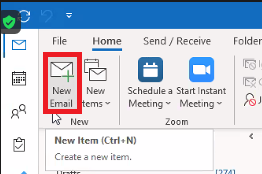
Step 1 - Click 'New Email'
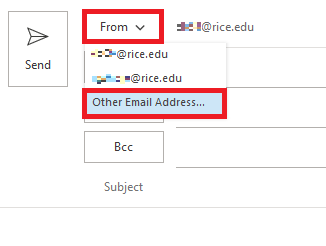
Step 2 - Click the 'From' drop-down menu, then select 'Other Email Address...'
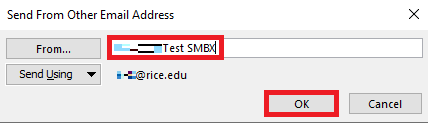
Step 3 - Type the name of the Shared Exchange Mailbox into the dialog box, then click OK
Step 4 - The Shared Exchange Mailbox name will now populate in the 'From' field
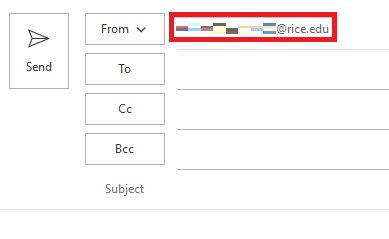
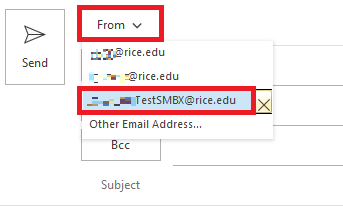
Step 5 - The mailbox name will also be available to select from the drop-down menu
Step 6 - Finish typing your message, and then choose Send.