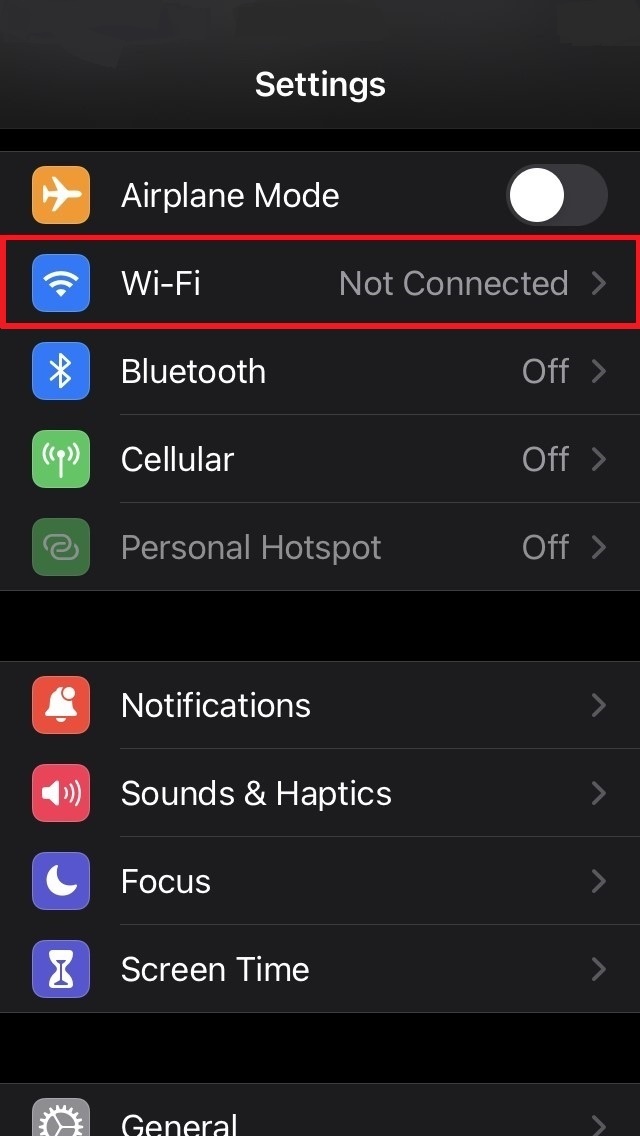
Step 1- Open the Settings menu, then select 'Wi-Fi' to view available wifi networks.
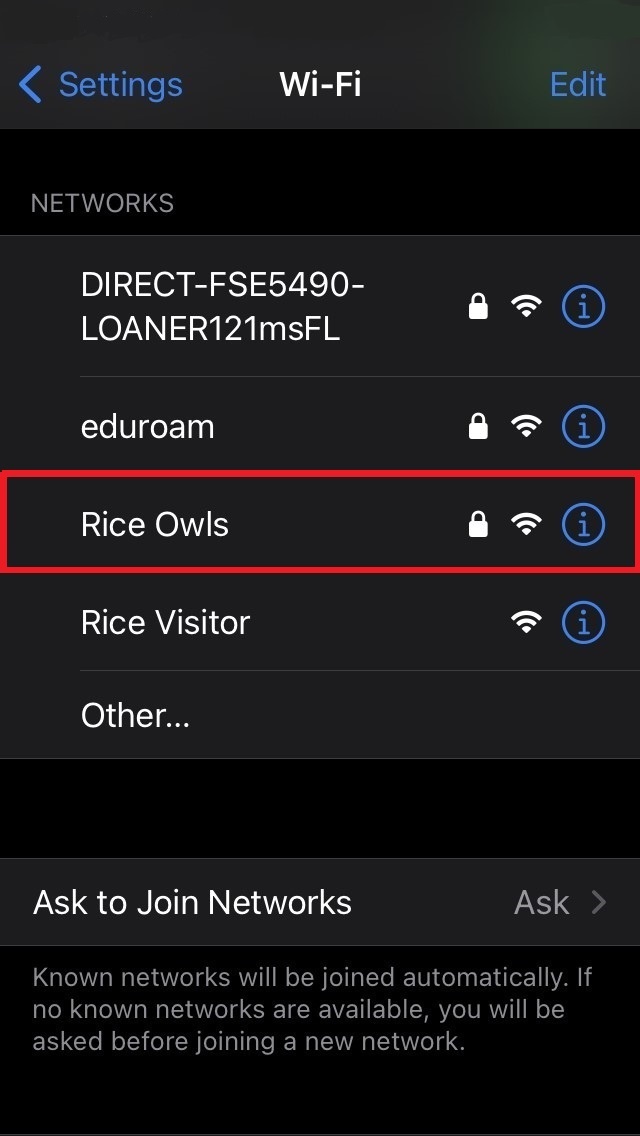
Step 2 - Select 'Rice Owls'.
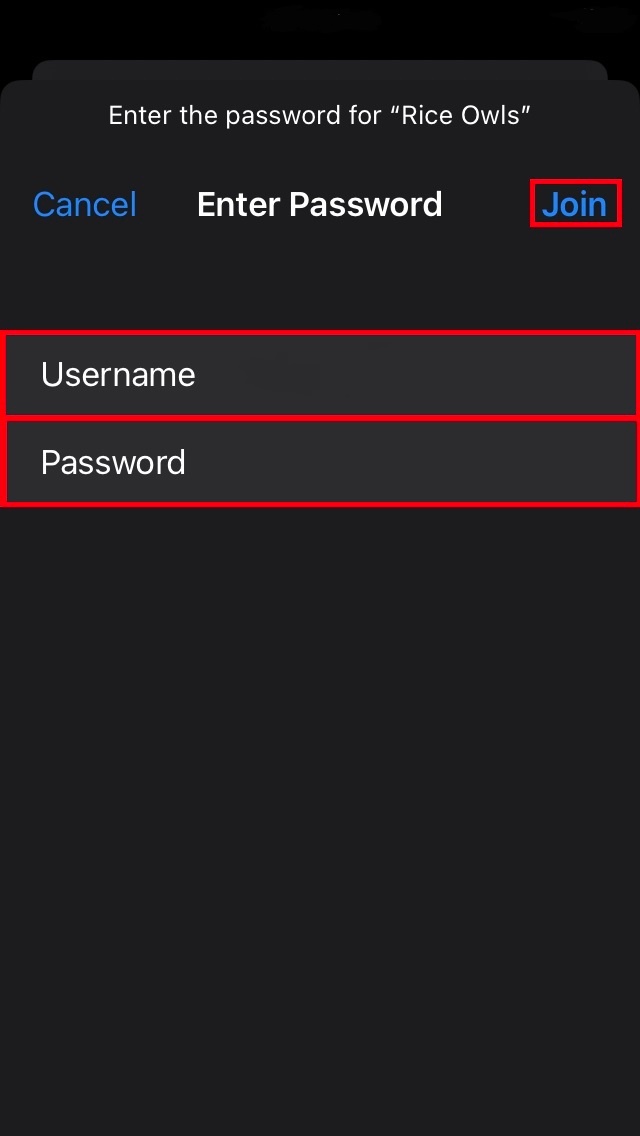
Step 3 - In the 'Username' field enter your Rice NetID. In the 'Password' field enter your Rice NetID password. Then select 'Join'.
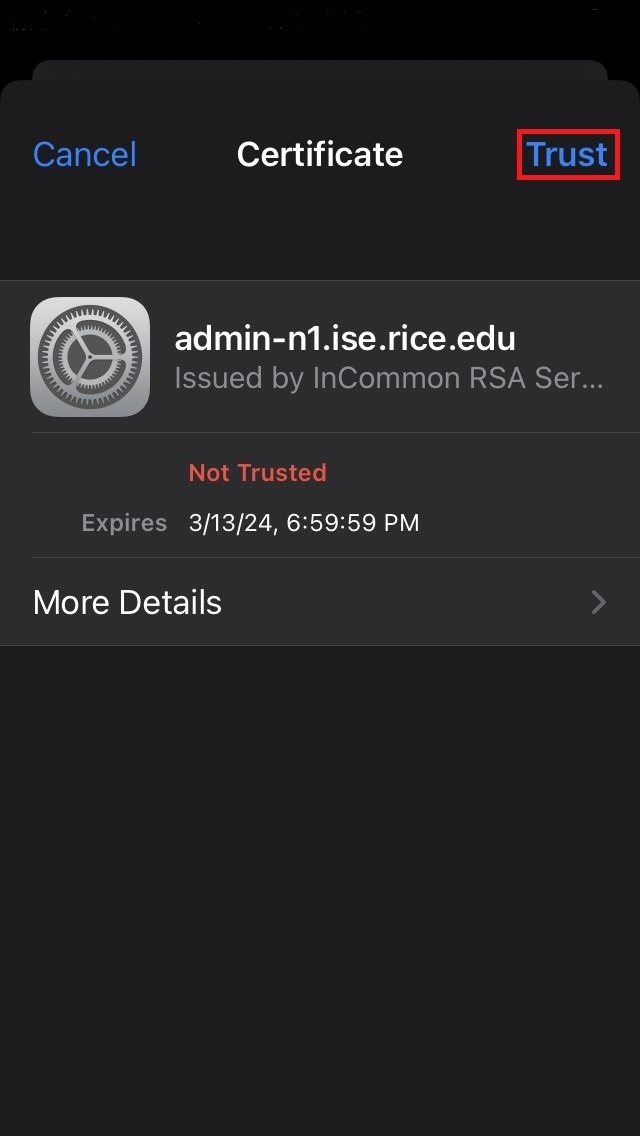
Step 4 - Select 'Trust' to accept the Certificate.
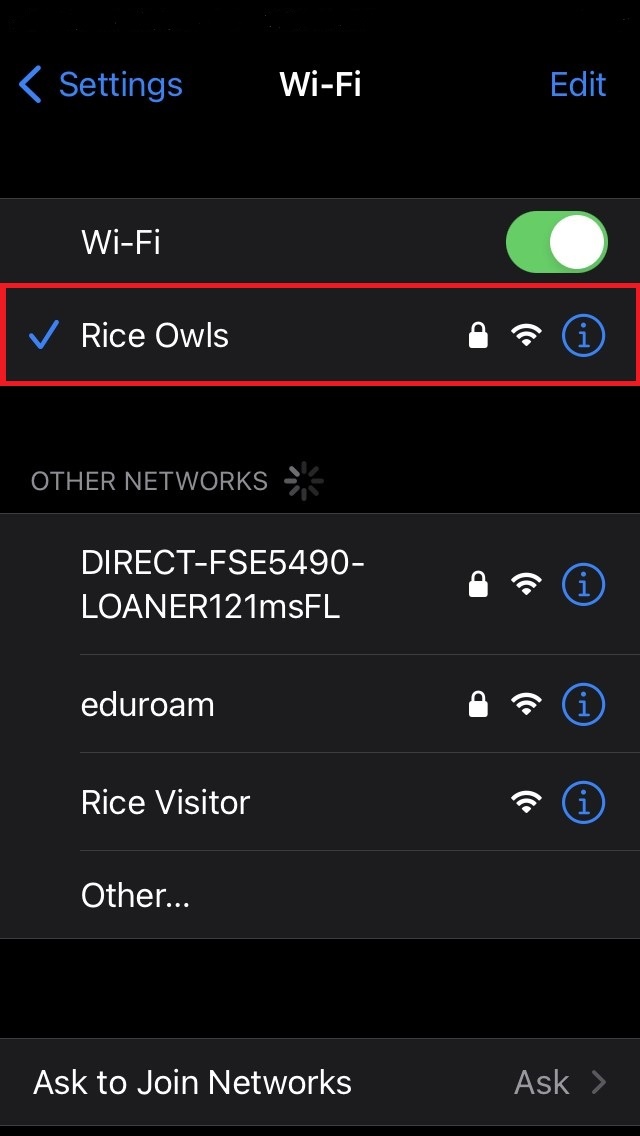
Step 5 - Verify you are connected to the Rice Owls network.