- Sign in to OWA at https://outlook.office.com using your netid@rice.edu email address and netid password.
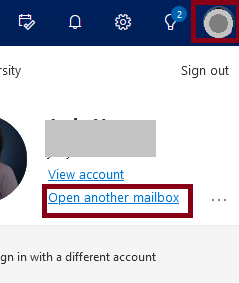
- Click on your profile picture on the upper right corner and select Open another mailbox.
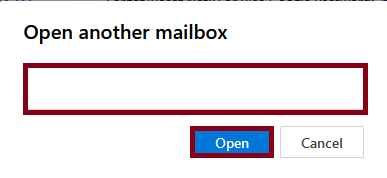
- Enter the name of the shared mailbox and click Open.
- Click Settings (the gear icon in the upper right corner)

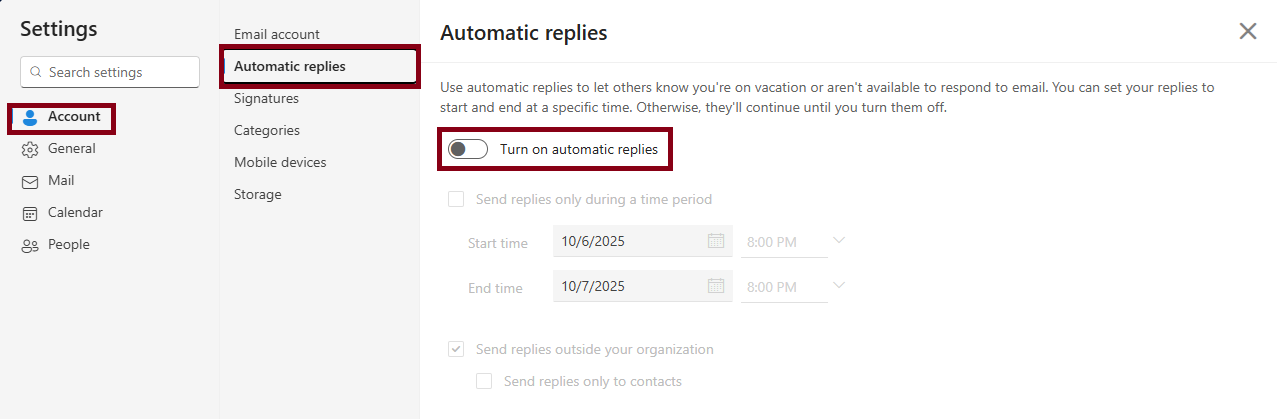
- Go to the Account tab, select Automatic replies. Turn on Automatic replies. Enter the auto reply text. Check the boxes next to Send replies only during a time period and Send replies outside your organization if appropriate. Click Save.
Overview
Content Tools